Subscription Pause Policy
Life happens. Your Fawakih progress is waiting for you.
Need a break from your studies? You can Self-Pause your subscription anytime, on your own, in under a minute. No emails, no permission needed. Your progress stays right where you left it.
How to Self-Pause
1. Log in at arabiconline.fawakih.org/login
2. Click Settings (top right), then Billing
3. Click the three dots next to your subscription and choose Pause Subscription
4. Pick how long you'd like to pause
5. That's it! You're all set.
[Button: Self-Pause now → https://arabiconline.fawakih.org/login]
The simple rules
You can pause up to 2 times, for up to 2 months each time.
Coming back
Your subscription restarts on its own when your pause ends. Ready sooner? Go back to Settings, then Billing, and resume anytime.
Quick answers
What happens to billing and course access? Billing and course access stops while you're paused and picks up again when you return.
Every tree has its seasons. When you're ready, come back and keep growing!
Read this article for advice from Fawakih Founder after observing thousands of student journeys, starts and stops: www.fawakih.org/climb
Steps to Pause Your Subscription:
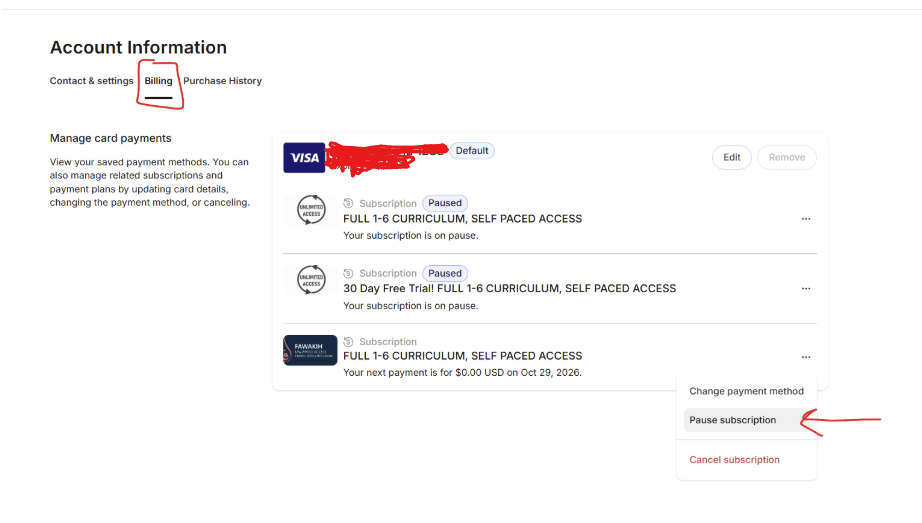
1.) Click on the Settings in the top right corner, then click on “billing.” Then, click on the three dots next to the subscription and select “Pause Subscription”:
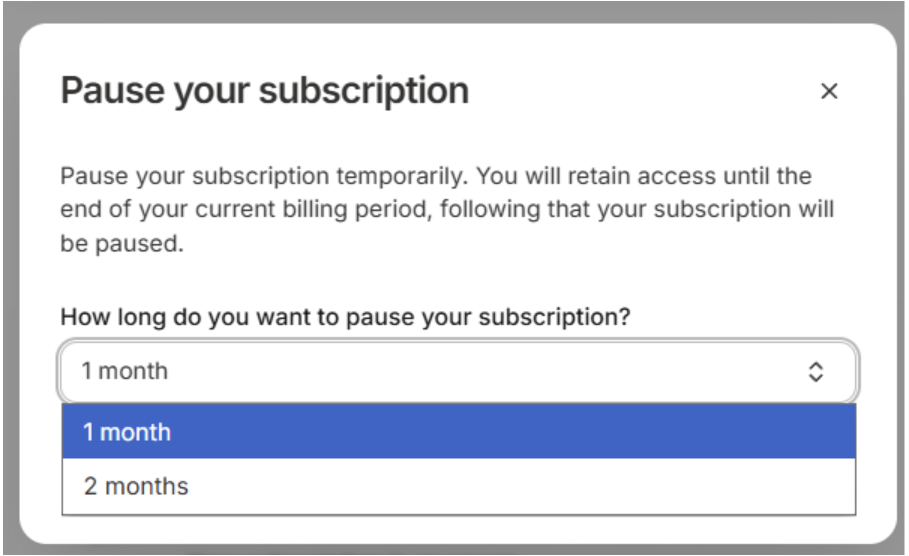
2.) Then, select the duration of the pause:
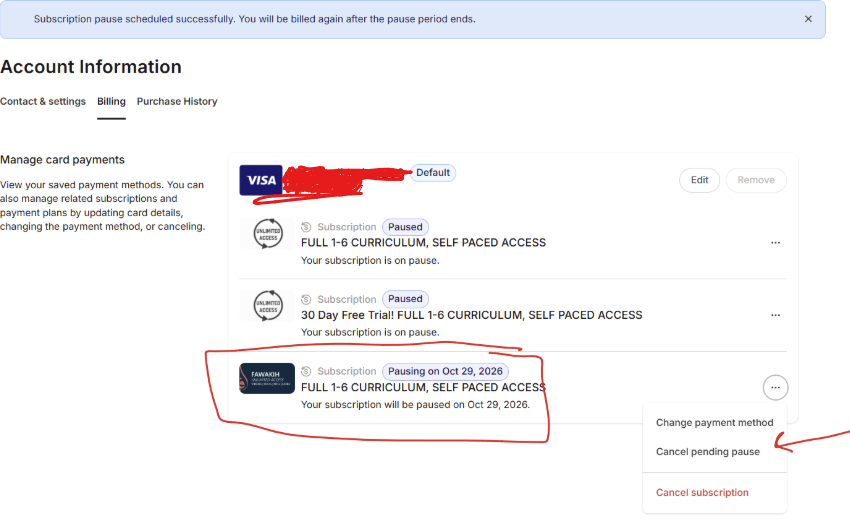
3.) You are done! Note that the subscription will automatically resume after the pause period has ended. If you change your mind and decide not to pause the subscription, you also have that option, as indicated below: